Guide · Systeme.io
Track Your Systeme.io Sales Without Code
Systeme.io tells you how much you sold. It doesn't tell you where the buyers came from — and that's the half that decides where to put your time next week.
In Systeme.io, 3 steps
Three settings in Systeme.io
The principle is one sentence: your button no longer points directly to the thank-you page — it goes through a Subtraq link that counts the sale in transit, then redirects there.
Prepare before you start: a Subtraq link marked as “sale” with your offer amount, and the URL where your buyers should land.
Open the settings of your form’s button.
Choose the action that saves the contact, then a redirect.
Paste the Subtraq link as the destination page.
Path checked in Systeme.io's documentation on August 28, 2026 — the original page. Interfaces change: if what you see no longer matches, the source wins.
The only action this guide asks
Open URL
Set your button's action to “Open URL” and paste the link there — a field that already exists in your account. That's all this guide requires: no script, no tag, no developer, and nothing to redo when you rebuild your funnel next month.
Recorded in the Systeme.io help center · 08/28/2026
Why there's nothing to install
The sale comes back from Systeme.io
A pixel lives on a page and dies with it. Here, the confirmation comes from the checkout button: there's nothing to drop on your end, so nothing breaks when you rebuild your funnel next month.
And since the measurement lives on the link, it works wherever you paste it — a video description, an email, a story, a QR code on a flyer.
What you read next
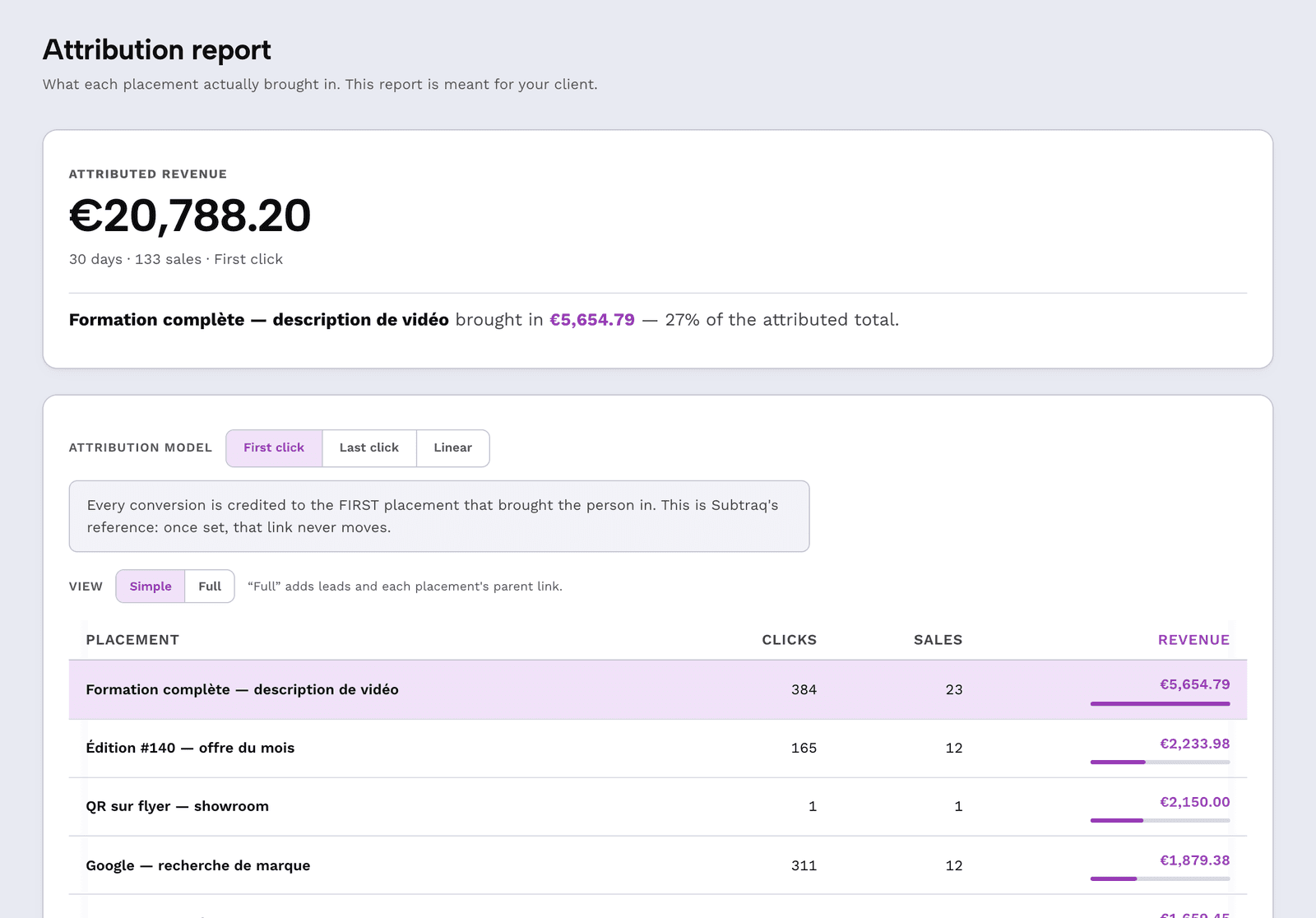
The content that sold
Not “how many clicks” — which link produced which revenue. The amount you set on the link comes back with every confirmed sale.
Three objections
“My buyers will see a URL that isn't mine.”
The pass-through is invisible to the eye, and the link can carry your own domain — link.yourbrand.com/course instead of ours.
“Systeme.io already tracks my sales.”
Yes, and it keeps doing so: this guide doesn't replace its tracking, it adds the source. Systeme.io says how much; Subtraq says from what.
“Does the visitor need to consent?”
The measurement is on the link — not an advertising tracker dropped on your property. The full topic is covered on a dedicated page, without shortcuts.
Frequently asked questions
Do I need to install a script or pixel on Systeme.io?
No. The connection is made entirely in your form button settings — paste a Subtraq link as the destination page. No code is added to your funnel.
Do my buyers still land on my thank-you page?
Yes. The Subtraq link redirects to the URL you give it: set it to your thank-you page, and the buyer's experience doesn't change.
How does Subtraq know the sale amount?
You set it on the link when you mark it as a sale. Every confirmed pass-through is worth that amount in the report — useful when an offer has a fixed price, which most courses do.
What if I sell multiple courses in the same funnel?
Create one link per offer with its own amount, and connect each one to the corresponding button. Reports stay separate — even when the traffic source is the same.
Does this guide apply to other tools I use?
The same action works anywhere there's a “redirect after submit” field: Tally, Typeform, Calendly, and Cal.com each have their own guide with the exact path through their interface.
Connect your Systeme.io funnel
One link, three settings, and your next sale will tell you where it came from. The free account is enough to test it on one offer.
Create a free accountThe other tools connected today are listed on the integrations page.